Are Online Quran Classes Safe for Children? A Parent Checklist
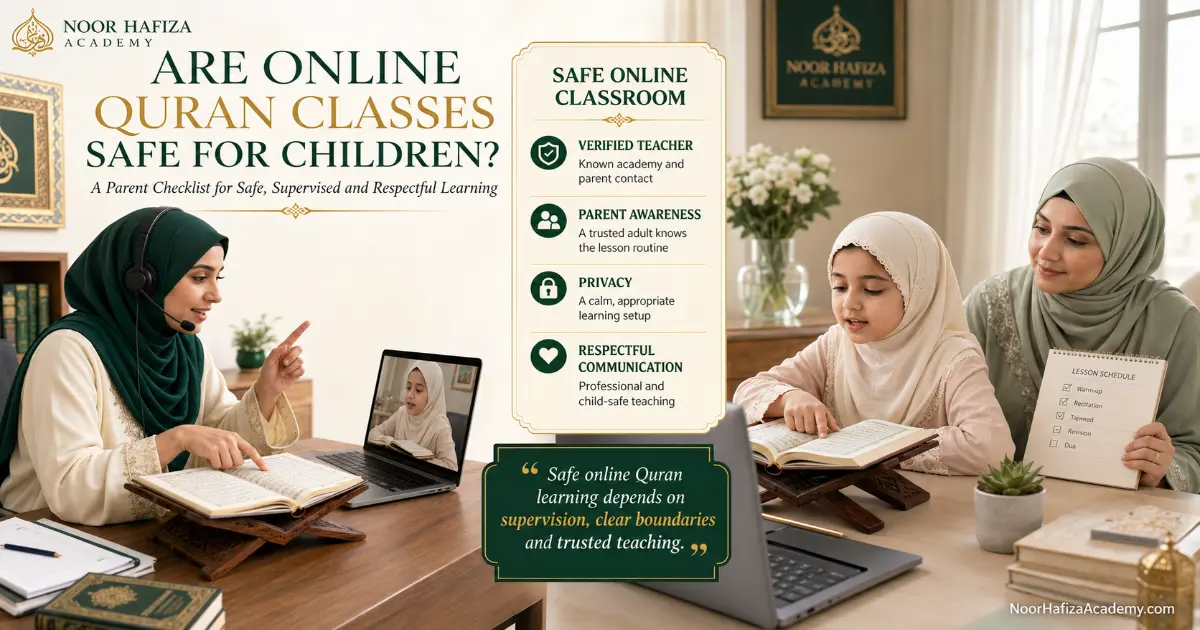
Are online Quran classes safe for children? They can be a safe, comfortable, and highly focused way to learn when parents and the academy use practical safeguards. The safest arrangement combines teacher verification, parent visibility, age-appropriate supervision, secure lesson access, privacy awareness, clear recording rules, professional communication boundaries, and a simple process for reporting concerns.
Are online Quran classes safe for children?
Online Quran classes can be safe for children when the family verifies the teacher and academy, uses a parent-approved device and lesson platform, keeps younger learners in a shared or supervised area, protects private information, understands whether lessons are recorded, and maintains transparent communication. Parents should know the regular schedule, teacher identity, official support contact, lesson link process, and how to raise a concern. A supervised live trial is one of the best ways to observe the teacher’s conduct, correction style, communication, and respect for boundaries before enrollment.
When are online Quran classes safe for children?
Parents asking are online Quran classes safe for children should begin with the system around the lesson, because online learning is not automatically safe or unsafe simply because it happens through a screen. Safety depends on the people, technology, rules, supervision, and response procedures around the lesson. A responsible arrangement gives the parent enough information to understand who is teaching, how the class is accessed, what communication is permitted, whether any content is recorded, and what to do when something feels unclear.
The strongest safety model is transparent. The parent does not have to guess which account will contact the child, whether the teacher may message privately, or who handles complaints. The lesson is treated as a professional educational service rather than an informal private relationship. The child learns through a known schedule and approved route, while the parent remains involved at a level appropriate to the learner’s age and independence.
Safety also includes emotional wellbeing. A technically secure platform does not protect a child from humiliating correction, excessive pressure, inappropriate personal questions, or a teacher who ignores distress. Parents should therefore evaluate both digital safeguards and teaching behavior. The teacher should correct Quran reading accurately while remaining respectful, patient, and focused on the lesson.
Parents do not need to interrupt every lesson. They do need to know when the class happens, which teacher is present, which platform is used, and how to review concerns. For young learners, being nearby is usually appropriate. As children grow, supervision can become less direct while communication and boundaries remain clear.
Twelve checks before your child joins an online Quran class
Use the following checklist before regular lessons begin. It turns the question are online Quran classes safe for children into practical checks a parent can verify. A single attractive website, friendly introduction, or low monthly price is not enough. Parents should look for a complete safety structure.
Teacher identity
Confirm the teacher through the academy or official enrollment route. Know the name used in class and whom to contact about the teacher.
Academy contact
Keep an official support email, phone number, or WhatsApp contact that belongs to the academy rather than relying only on a private tutor account.
Approved platform
Know which video platform, account, and lesson link will be used. Avoid last-minute moves to unfamiliar apps without a clear reason.
Known schedule
Keep the recurring lesson time visible in the family calendar. Unexpected calls should not replace the agreed schedule.
Parent visibility
Decide how closely the lesson will be supervised according to the child’s age, maturity, confidence, and ability to report concerns.
Private information limits
Share only what is needed for teaching and scheduling. The child should not disclose an address, school, passwords, or unrelated family details.
Communication boundaries
Messages should remain focused on lessons, attendance, revision, progress, and approved educational support.
Recording rules
Ask whether video, audio, screenshots, or lesson clips are created, why they are needed, and who can access them.
Camera and room privacy
Use a neutral background, remove visible documents, and position the camera so the learning area—not the whole home—is shown.
Child exit plan
The child should know how to mute, leave, close the device, and call a parent without fearing punishment.
Concern-reporting route
Ask whom to contact if the teacher, platform, schedule, message, recording, or interaction raises a concern.
Regular review
Check the child’s comfort, teacher conduct, progress, communication, and technical routine after the trial and during the first month.

How should parents verify the teacher and academy?
When parents ask are online Quran classes safe for children, teacher verification is one of the first answers. Start with a clear identity chain. The academy should be able to tell you who is teaching, how the teacher is assigned, and which official contact handles enrollment, scheduling, feedback, or complaints. Parents should not have to depend entirely on a teacher’s private social profile or an unverified number.
Ask how teachers are selected for the course and age group. The answer should connect to relevant Quran knowledge, experience with children, communication, and professional conduct. Parents may also ask how the academy responds when a teacher is absent, when a family requests a change, or when a safeguarding concern is reported. An organization may not share confidential employment information, but it should explain its general process clearly enough for a parent to make an informed decision.
Questions to ask before enrollment
- Who will teach my child, and how can I verify that assignment?
- Which official contact should I use for schedules and concerns?
- Which video platform and account will be used?
- Can the teacher contact the child directly, or should messages go through a parent?
- What information do you need about my child, and why?
- Are classes recorded or photographed in any form?
- How are teacher changes, complaints, or safety concerns handled?
- What should my child do if the lesson link or teacher account changes unexpectedly?
- Can I observe a supervised trial before paying?
- Where can I review the academy’s privacy and contact information?
Teacher verification should be combined with teaching evaluation. A verified identity does not prove that the teacher suits the child. During the trial, observe whether the teacher remains focused, uses respectful language, asks only relevant questions, and explains correction without shame. Read the separate guide on how to choose an online Quran teacher for a detailed quality checklist.
How much supervision does a child need during online Quran lessons?
Supervision should change with age and maturity. Constantly answering for the child can prevent the teacher from assessing independently, while leaving a very young learner completely alone can reduce both safety and lesson effectiveness. The goal is accessible parent presence rather than continuous interruption.
Stay nearby and visible
Help the child join, position the book, manage audio, and remain close enough to hear or check the lesson. The parent may assist briefly when the teacher requests it.
Support the setup, then monitor
Begin the lesson with the child, remain in the same or nearby shared area, and check in without answering every correction.
Allow more independence
The learner may manage more of the class but should still use an approved device, known schedule, and accessible parent support.
Respect privacy with clear boundaries
Teenagers may learn more independently, while parents keep visibility over the teacher, schedule, platform, payments, and reporting route.
Some children need more supervision than their age suggests. A shy learner, child with limited digital skills, or student who struggles to explain uncomfortable interactions may need a parent closer. A mature learner may manage the lesson well but still requires the same communication and privacy boundaries.
Create a private and parent-approved home learning setup
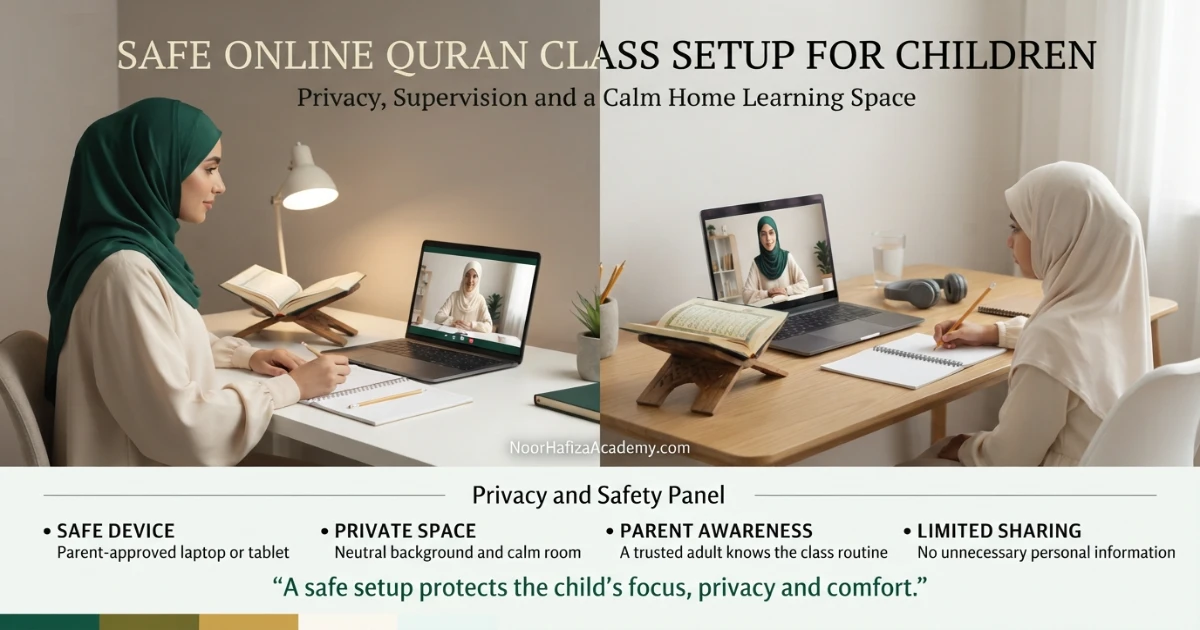
A safe setup does not need expensive technology. It needs a stable device, clear audio, an approved account, a neutral learning area, and a parent who understands how the class is accessed. Use a family-controlled laptop, tablet, phone, or desktop rather than giving a young child unrestricted access to unrelated apps and messages.
Use a dedicated learning account
Where practical, use a parent-managed display name and account for classes. Avoid showing a child’s full birth date, school, home address, or personal username.
Control the visual background
Position the camera toward a plain wall or study corner. Remove letters, calendars, school logos, family photographs, and documents containing private information.
Prepare only lesson materials
Keep the Quran or Qaida on a wooden rehal, plus the assigned notebook and pencil. Close unrelated browser tabs, notifications, games, and private files.
Test sound and camera
Clear audio helps the teacher correct pronunciation and reduces pressure to move to another platform or private call because the original setup fails.
Protect passwords and links
Parents should manage account passwords and avoid posting lesson links publicly or forwarding them to unrelated people.
Keep a parent within reach
The child should know exactly where the parent is and how to call them if the link, account, conversation, or lesson behavior seems unexpected.
What communication is appropriate between a Quran teacher and child?
Communication should serve the educational relationship. Appropriate topics include the lesson, Quran reading, revision, attendance, scheduling, technical problems, encouragement, and progress. Personal conversations should remain age-appropriate and limited. A teacher may build rapport by asking how the child is feeling or whether school has been tiring, but the interaction should not become secretive, emotionally dependent, or disconnected from the learning purpose.
| Communication area | Appropriate practice | Parent caution sign | Parent action |
|---|---|---|---|
| Lesson messages | Homework, pages, revision, attendance, and schedule information | Requests to hide messages or delete conversations | Save the message and contact the academy |
| Contact route | Academy-approved account with parent visibility | Unexpected private account or new app | Do not continue until the route is verified |
| Personal questions | Limited, age-appropriate rapport connected to learning | Questions about address, passwords, family finances, or private relationships | End or pause the interaction and report it |
| Gifts or favors | General praise or academy-approved recognition | Private gifts, money, special secrecy, or pressure | Inform the academy and keep evidence |
| Outside-class contact | Necessary educational messages at reasonable times | Frequent personal calls or messages unrelated to class | Set a boundary and use the official channel |
Teach children that a safe teacher will not ask them to hide a message, meeting, recording, gift, or conversation from their parent. The child will never be in trouble for showing a parent something that made them confused or uncomfortable.
What information should parents protect during online Quran classes?
The question are online Quran classes safe for children also depends on how carefully personal information is handled. The academy needs enough information to arrange and support lessons, such as the parent’s contact details, the learner’s approximate age, current Quran level, time zone, preferred schedule, and course goal. It should not be necessary for the child to share unrelated personal details during a lesson.
Information commonly needed
- Parent or guardian contact
- Student’s preferred first name
- Approximate age or age band
- Current Quran level and learning goal
- Time zone and scheduling availability
- Relevant learning or accessibility needs shared by the parent
Information the child should not volunteer
- Home address or live location
- School name, timetable, or transport route
- Passwords, security codes, or financial information
- Private photographs or identity documents
- Family conflicts, finances, or unrelated private matters
- Links to personal social media accounts
Parents should review the academy’s privacy policy and ask questions when wording is unclear. Privacy is not only about data stored by a website. It also includes what appears on camera, what is spoken during class, what is saved in messages, and what may be recorded.
What should parents ask about recorded Quran lessons?
Some providers may record lessons for quality review, teacher training, child protection, missed-class review, or educational support. Others may not record at all. Parents should never assume either position. Ask directly before enrollment and again if the platform displays a recording notice.
Why is the lesson recorded?
The academy should be able to explain whether the purpose is quality assurance, safeguarding, progress review, teacher training, or another defined educational reason.
How are parents informed?
Parents should know before recording begins and understand whether consent is required, how it is collected, and whether participation is optional.
Who can view or hear the recording?
Ask whether access is limited to the teacher, parent, authorized academy staff, or another defined group.
Where and for how long is it kept?
Parents should ask about the storage system, retention period, and protection against public sharing or unauthorized downloading.
Can a parent request removal?
Confirm the process for asking questions, withdrawing future permission where applicable, or requesting deletion under the provider’s policy.
Will any image or clip be published?
Educational service consent should not be treated automatically as permission to use a child’s face, voice, name, or work in marketing.
How parents can reduce unwanted access to an online lesson
Use the scheduled link sent through the approved channel and avoid publishing it in public groups. Confirm the display name before joining. When the platform supports features such as passwords, waiting rooms, participant controls, or host approval, the academy and family should use them appropriately. Features vary between platforms, so parents should ask how access is managed rather than assuming every system works the same way.
Verify the sender
Open lesson links only from the academy, known teacher, or parent-approved contact.
Check the participant name
Use a simple parent-approved display name and confirm the teacher account matches the expected class.
Do not share the link publicly
Treat the lesson link like a private appointment rather than a public event invitation.
Update the device
Keep the operating system, browser, and video app reasonably current and use device security controls.
Close unrelated applications
Reduce accidental screen sharing, private notifications, and distractions during the lesson.
Leave unexpected sessions
If an unknown participant, account, or request appears, the child should exit and tell a parent.
A safe Quran class must also protect the child’s dignity and confidence
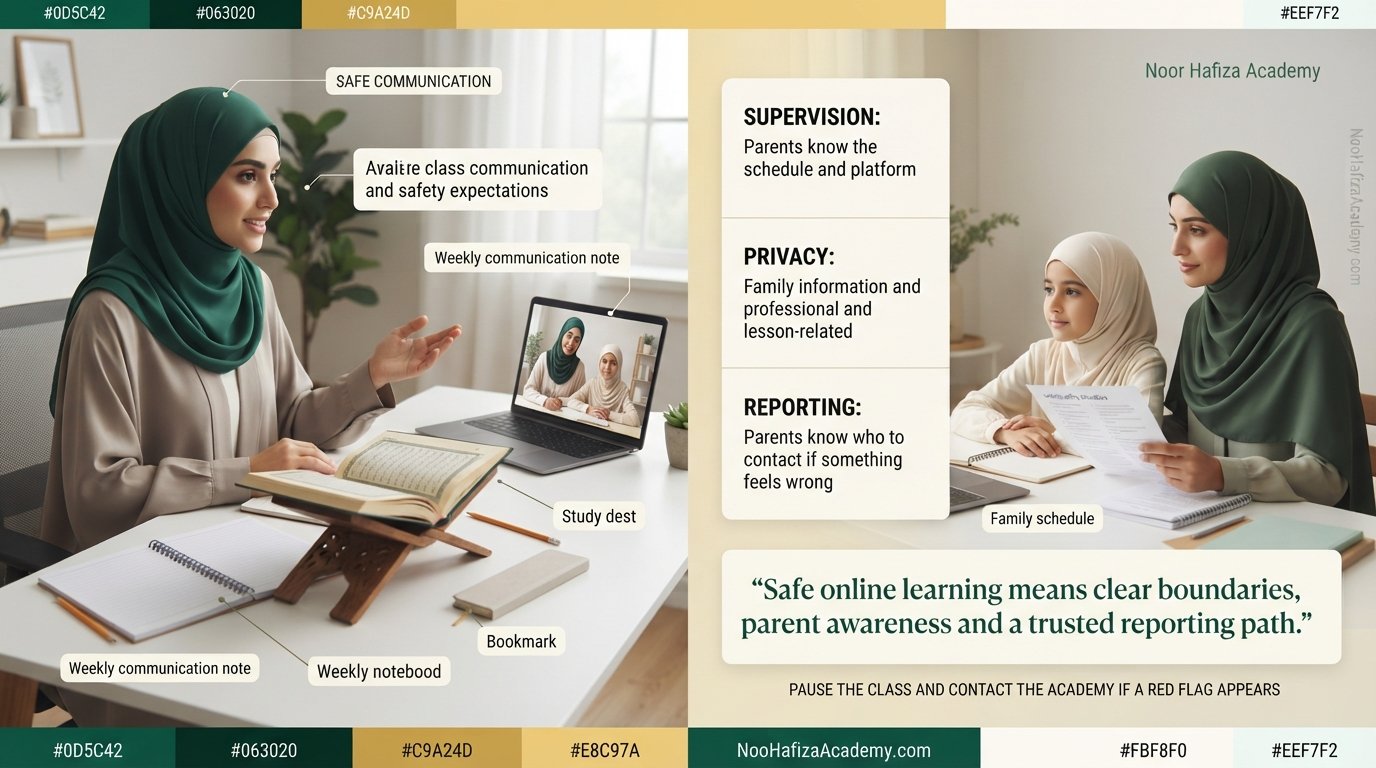
Digital privacy is only one part of safeguarding. The teacher’s tone, correction method, and expectations affect whether the child feels able to read, make mistakes, ask questions, and report discomfort. Quran instruction requires accurate correction, but accuracy does not require humiliation.
Respectful correction
The teacher identifies the mistake, models the correct sound, asks for another attempt, and acknowledges improvement without ridicule.
Age-aware expectations
The teacher adjusts task size, pace, repetition, and lesson length instead of treating every child like an adult student.
Reasonable pressure
The child may be encouraged to try again, but should not be threatened, insulted, compared, or made afraid to join the next class.
Parents should distinguish normal learning discomfort from distress. A child may feel shy during a first trial or frustrated by a difficult sound. Concern rises when the learner repeatedly becomes fearful, silent, ashamed, physically upset, or desperate to avoid a particular teacher without a clear academic reason. Listen calmly and ask open questions rather than immediately suggesting an answer.
Use a live trial to evaluate safety and teacher conduct
A supervised trial helps families answer are online Quran classes safe for children by showing how the complete system works before regular enrollment. Join from the device the child is likely to use. Observe the link, account, teacher introduction, camera setup, lesson style, correction, and closing communication.
Verify the link and teacher
Confirm the class invitation came through the expected route and that the teacher matches the academy’s introduction.
Observe the opening questions
The teacher should ask relevant learning questions: name preference, previous study, current lesson, comfort, and goal—not unrelated private details.
Watch the correction method
Look for patient, specific, and age-appropriate correction without shaming, excessive anger, or pressure.
Check parent inclusion
The teacher should be comfortable with appropriate parent presence and explain the recommended level, schedule, and revision clearly.
Review communication after class
Homework, timing, or feedback should go through the agreed parent-visible route rather than creating an unnecessary private relationship.
Ask the child privately
Use open questions: What did you enjoy? What felt difficult? Did anything confuse you? Would you feel comfortable asking this teacher for help?
Warning signs parents should never ignore
A technical mistake or awkward first lesson does not automatically indicate danger. Look at context and patterns. However, some behaviors require an immediate pause and direct contact with the academy.
Requests for secrecy
The child is asked to hide messages, recordings, gifts, conversations, or a change in the lesson platform.
Unexpected private contact
The teacher contacts the child through a personal number, social account, or app that the parent did not approve.
Unnecessary personal questions
The conversation repeatedly focuses on addresses, passwords, finances, family conflict, photographs, or private relationships.
Unexplained recording
A recording notice, screenshot, or clip appears without prior explanation or consent information.
Resistance to parent presence
A young child’s teacher insists the parent must not be nearby or reacts negatively to reasonable supervision.
Humiliation or threats
The child is insulted, mocked, frightened, compared negatively, or threatened because of mistakes or slow progress.
Unknown participants
Other people enter the class or appear on screen without an educational reason or parent awareness.
Pressure to bypass the academy
The family is encouraged to move payment, lessons, or communication away from the official service without clear authorization.
A calm parent response plan for online lesson concerns
Children should know that they will be believed and supported when they report discomfort. Parents should remain calm enough to hear the child’s words without turning the conversation into an interrogation. The first goal is safety and clarity, not immediately proving intent.
Stop or leave the interaction
The child can mute, close the app, leave the class, or call the parent. Do not require the child to continue while the concern is being assessed.
Ask open, non-leading questions
Invite the child to describe what happened in their own words. Reassure them that reporting a concern was the correct action.
Keep relevant evidence
Save messages, account names, dates, screenshots, lesson invitations, or recording notices when doing so is lawful and appropriate. Do not publicly post the child’s private information.
Use the academy’s official contact
Explain the concern factually and request confirmation of the immediate next step, including whether classes will be paused or the teacher changed.
Seek appropriate outside help when necessary
For immediate danger, suspected exploitation, threats, or serious child-protection concerns, contact the appropriate local emergency, law-enforcement, platform, or child-protection service in your location.
Are private or group Quran classes safer for children?
Neither format is automatically safer. One-to-one classes provide focused teaching and simple participant visibility, but parents should maintain transparent supervision and communication because the interaction is private. Group classes may provide peer presence, yet more participants, links, cameras, names, and voices can create additional privacy considerations.
| Safety factor | One-to-one lesson | Small group lesson | Parent check |
|---|---|---|---|
| Participants | Teacher and one learner | Teacher plus several learners | Know who is expected in the class |
| Privacy | Fewer participants see or hear the child | Other families may see names, faces, or voices | Ask how student information is displayed |
| Supervision | Parent visibility is especially important for young learners | Teacher must manage multiple cameras and turns | Observe the trial and group controls |
| Communication | Messages can remain focused on one learner | Group chats may involve several families | Use parent-visible approved channels |
| Recording | Contains one child’s voice or image | Contains several children | Confirm consent and access rules |
The right choice depends on teacher quality, platform management, age, confidence, course, and family preference. Read the detailed one-to-one vs group Quran classes comparison for learning and scheduling differences.
Review the class after the first 30 days
The answer to are online Quran classes safe for children should be reviewed over time, so safety checks must continue after enrollment. The first month provides enough time to observe whether the teacher, communication route, schedule, device setup, and child response remain consistent.
Confirm the routine
Verify the teacher account, recurring schedule, lesson link process, parent contact, and child exit plan.
Observe teaching conduct
Listen for respectful correction, relevant conversation, attention to the child, and comfort with appropriate parent visibility.
Review messages and privacy
Check homework communication, account activity, recording notices, screenshots, and whether any unnecessary personal information has been requested.
Ask the child and decide
Review comfort, progress, teacher fit, safety, reliability, and whether supervision should remain the same or be adjusted.
The child participates comfortably, communication stays professional, parent visibility is respected, and the learning plan is clear.
Change the room, device, lesson time, supervision level, account, or communication route while keeping the teacher relationship under review.
Stop lessons when there is secrecy, inappropriate contact, unexplained recording, humiliation, unknown participants, or another unresolved safeguarding issue.
How Noor Hafiza Academy supports a parent-visible learning experience
For families asking are online Quran classes safe for children, Noor Hafiza Academy offers live online Quran classes for children with female Quran teachers and encourages parents to evaluate the arrangement through a trial. Families can share the learner’s age, current level, preferred course, time zone, and schedule before a teacher and plan are confirmed. Parents can use a trial to observe the teacher-child interaction and discuss supervision, communication, lesson setup, and progress expectations.
Parents should review the academy’s current policies and ask direct questions before enrollment because teacher availability, platforms, scheduling procedures, recording practices, and terms may change. The About Us, Privacy Policy, and Contact pages provide useful starting points for verification and questions.
Join with your child, verify the teacher and platform, observe correction and communication, and ask how privacy, recordings, messages, missed classes, and concerns are handled.
Final parent checklist: are online Quran classes safe for children?
Teacher verification
- Teacher confirmed through the academy
- Relevant child-teaching experience discussed
- Official support contact saved
- Teacher-change process understood
Parent supervision
- Shared or accessible learning area
- Age-appropriate parent check-ins
- Known recurring lesson schedule
- Child knows how to call a parent
Platform security
- Approved app and account
- Private lesson link
- Expected participant verified
- Updated parent-managed device
Privacy
- Neutral camera background
- Minimum necessary data shared
- Personal tabs and files closed
- Privacy policy reviewed
Recording and media
- Recording status confirmed
- Purpose and access explained
- Storage and deletion process understood
- No marketing use without separate permission
Communication and reporting
- No secret messages
- Parent-visible contact route
- Concern procedure understood
- Child reassured they can report anything
To answer are online Quran classes safe for children with confidence, parents can also review the complete online Quran classes for kids parent guide, learn how online Quran classes work, and explore the academy’s Quran classes for kids before booking a trial.
FAQs about online Quran class safety for children
Are online Quran classes safe for children?
Should a parent stay during an online Quran class?
How can I verify an online Quran teacher?
Can a Quran teacher message my child privately?
Should online Quran lessons be recorded?
What personal information should my child avoid sharing?
What should my child do if an unknown person joins the lesson?
What are the biggest online Quran class red flags?
Are one-to-one Quran classes safe for kids?
How can I evaluate safety during a free trial?
Evaluate the teacher, platform, and boundaries in a supervised free trial
Share your child’s age, Quran level, course goal, time zone, and preferred schedule. Join the trial to observe the female teacher, lesson link, communication style, correction, privacy setup, and parent-support process before regular enrollment.